Fresh Sets
- Music shows
- Unplayed
- Last 14 days
 PodMeister™
Download
Out now on the App Store
Built for mixes, radio shows and anyone tired of scrubbing through a waveform. Jump between tracks, keep your favourite tracklist site one tap away, build playlists that organise themselves, and turn on-device transcripts into chapters.
Tracklists without the digging
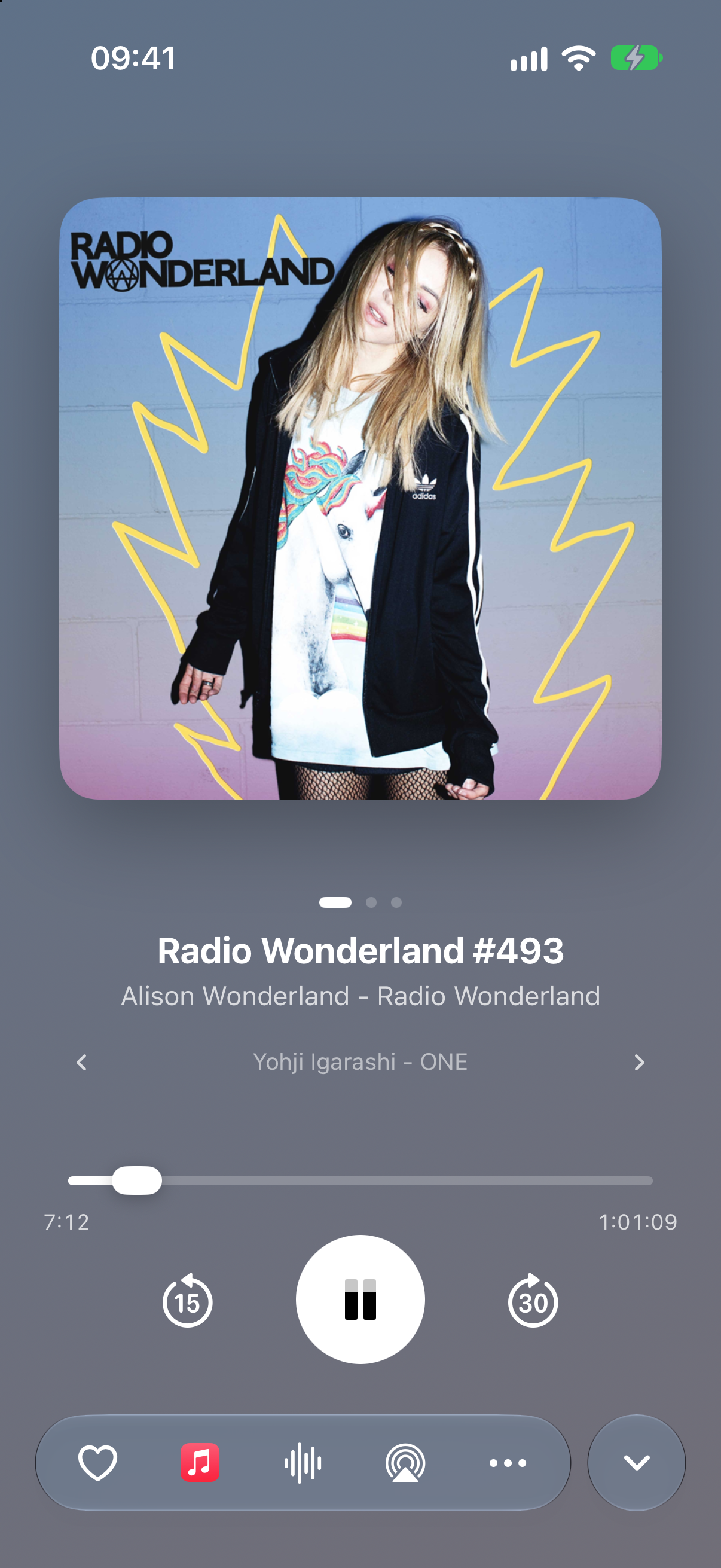
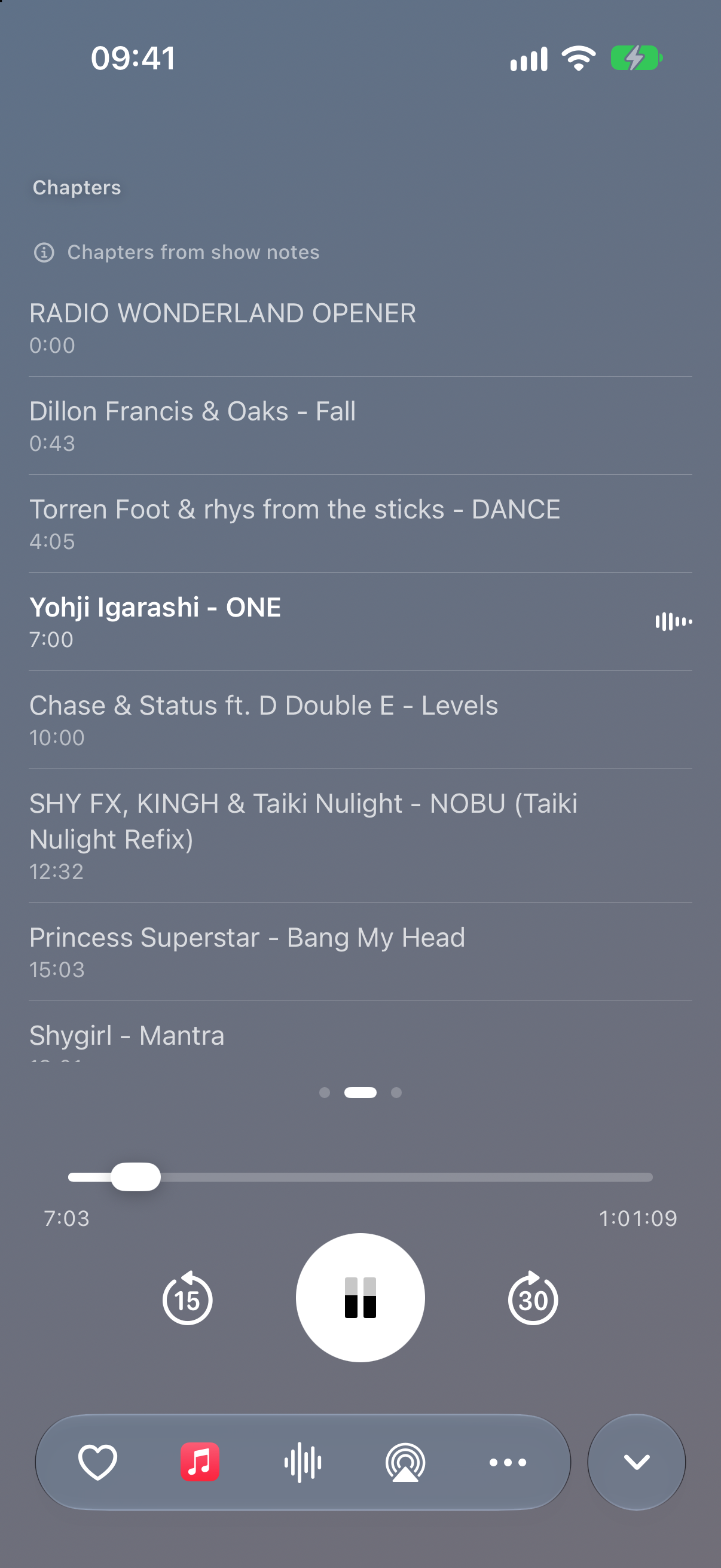
When a show publishes a tracklist, PodMeister turns it into tappable chapters, so the ID of the track that's playing is right there in the player. Hear something you love? With Plus, one tap adds it to your Apple Music library or finds it in Spotify, without leaving the episode. Want to dig deeper? Save the tracklist site you swear by as a bookmark and open it right from the app.
Only here for the music? With Plus, untick the talk or ad breaks in the chapter list and playback jumps over them every time that episode plays. Coming soon
Live demo — tap a chapter, then open it in Apple Music or Spotify. In the app, Apple Music adds it straight to your library. Radio Wonderland #493, chapters read from the episode shownotes.
Your library, on autopilot
Build a playlist from the shows you follow, words in episode titles, listening status, downloads, release date or duration. Include what you want, cut what you don't, choose the order and cap the size. New episodes land where they belong without you babysitting the queue.
Match every rule or just one. Include and exclude shows. Filter titles. Pick the sort order and episode limit. Then give the playlist its own look and playback setup. Custom smart playlists are part of Plus
Next up: switch on Auto-download and a playlist downloads the first 10 episodes it matches, keeping each one until it leaves the playlist. Video-only episodes are never downloaded automatically. New rules for audio or video and for favourited episodes are on the way too. Coming soon
Bad shownotes? Not your problem. Beta
PodMeister can transcribe an episode on your iPhone, then pull useful chapters from what was actually said. Jump through the episode, search for a name or track, or read along when the audio gets messy. By default, nothing gets uploaded: sending audio to Apple's speech service is a separate switch that stays off unless you turn it on.
Looks like the show you're playing
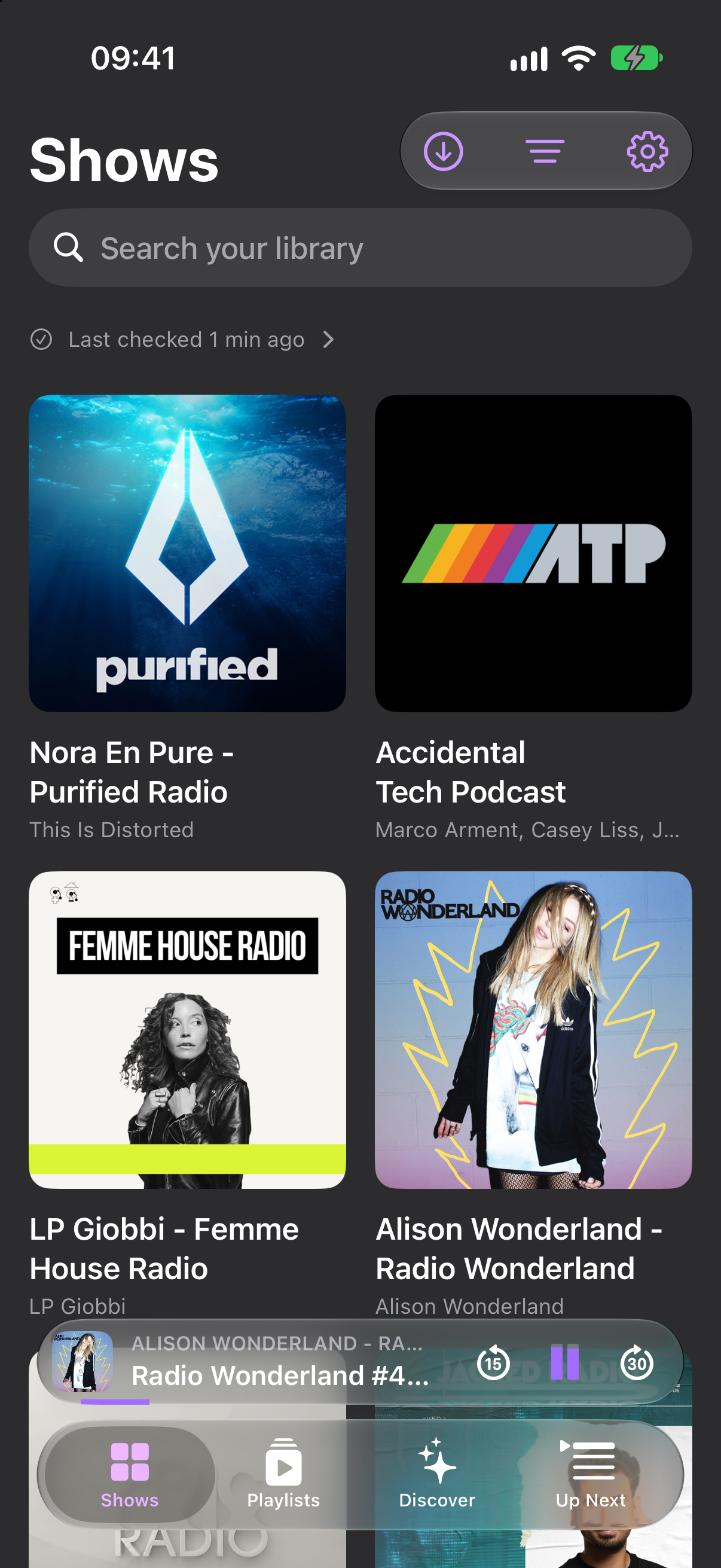
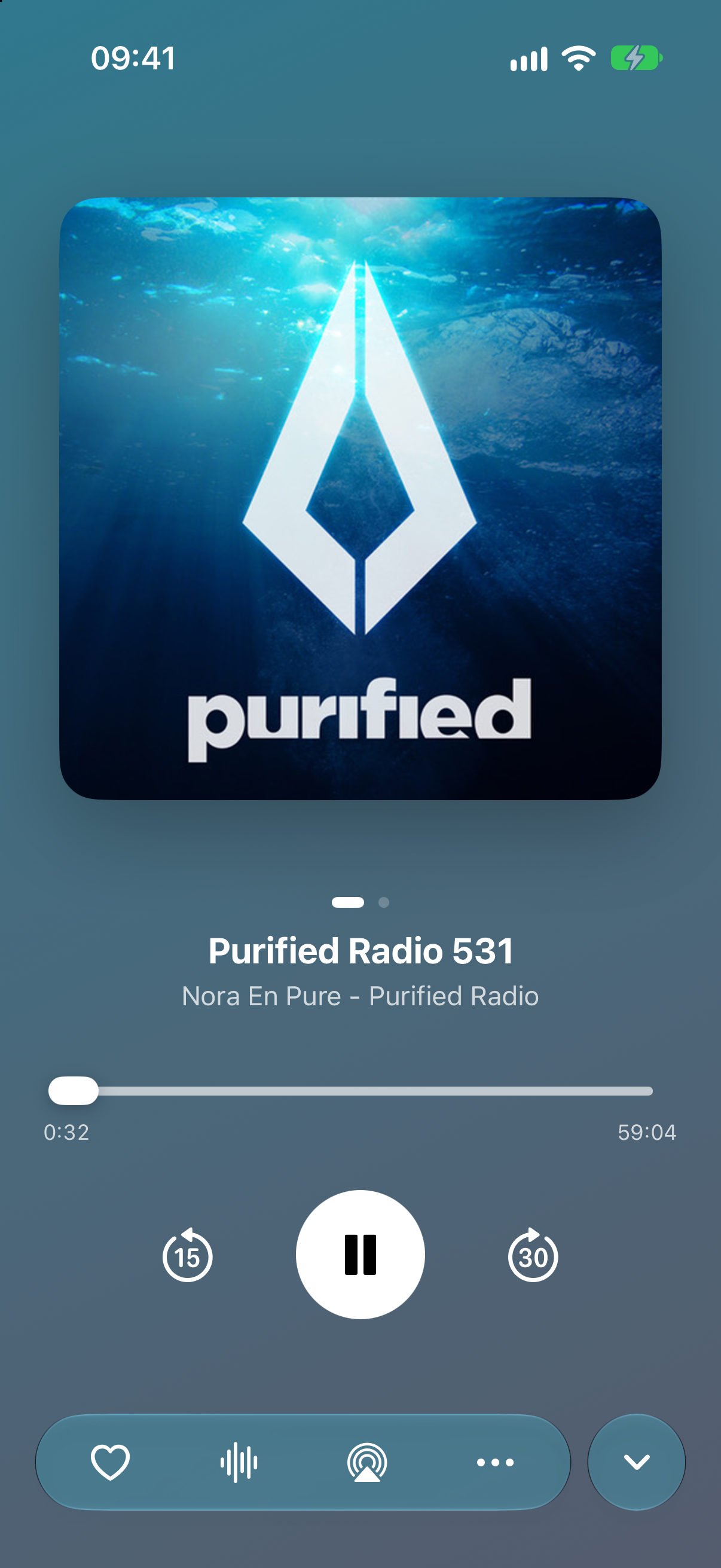
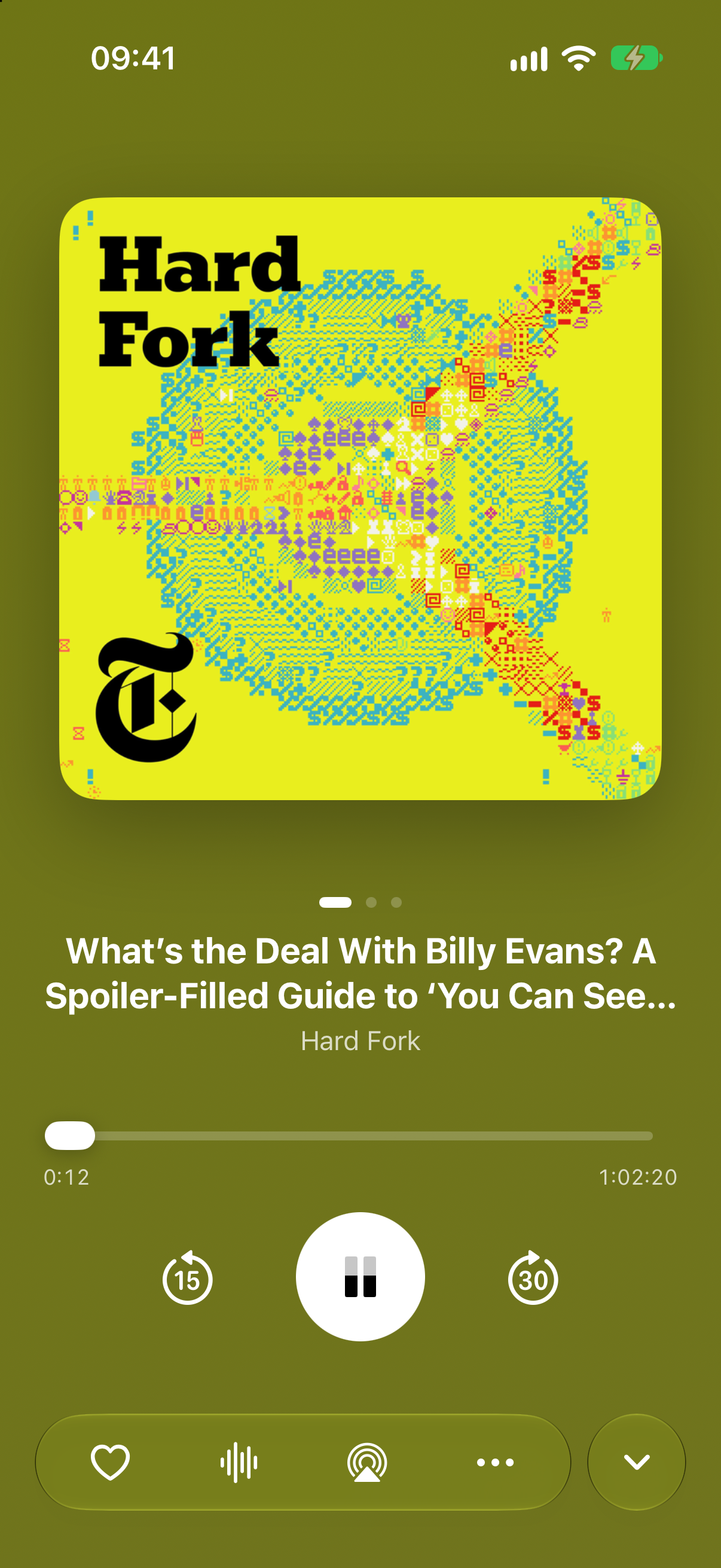
The player pulls its colour from the episode artwork, and everything around it is built from Apple's own Liquid Glass controls, so it feels at home on iOS 26. The mini player rides just above the tab bar and tucks in beside it as you scroll.
Find the next one
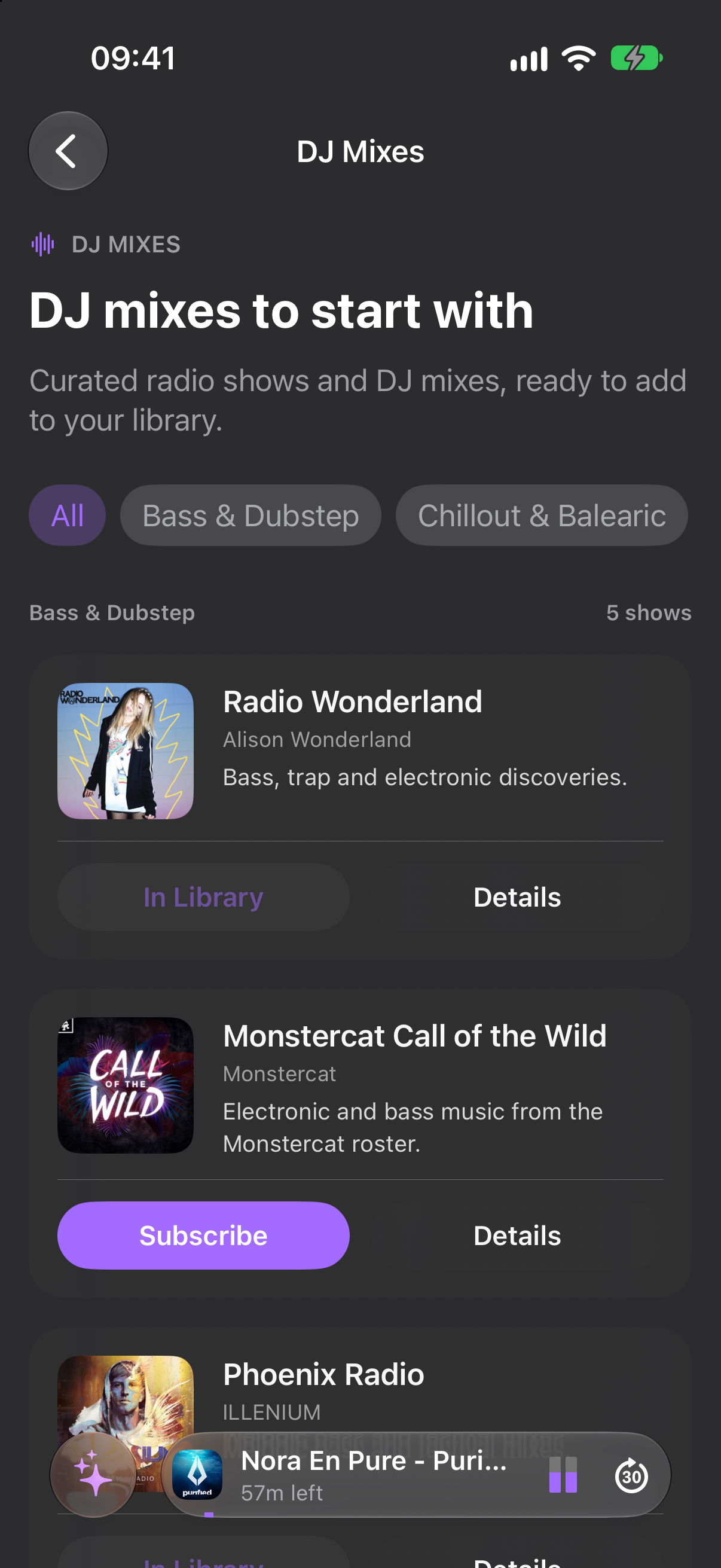
Discover has the charts you'd expect, plus shelves you won't find elsewhere: PodMeister Picks of shows whose feeds carry chapters, transcripts or timestamps, 150 curated DJ mixes and radio shows, and a lineup of video podcasts. New mixes and shows arrive without an app update.
Built around music shows. Fully equipped for the rest of your queue.
Backgrounds, controls, and chrome tint to the episode art, so the player becomes part of the show.
Transcripts generated on your device — read along, search inside episodes, and build chapters from speech when shownotes fall short. Audio stays on the device unless you switch on server transcription.
Speed from 0.5× to 3× with pitch preserved, Skip Quiet Gaps, Soften Silence, smart resume and a sleep timer. Set speed, skip intervals and sound per show.
Favourites that keep their downloads, Save for Later, Up Next, library search that reaches into show notes, Spotlight, and OPML import and export.
AirPlay, Chromecast, CarPlay, Siri Shortcuts, plus the Lock Screen and Control Center controls you already know.
A ten-band equaliser with eight presets — Flat, Clearer Voices, Warmer, Brighter, Bass Boost, Reduce Bass, Soften Treble and Late Night — or your own custom curve. Clearer Voices brings speech forward and Loudness Levelling evens out volume between shows.
Charts for 14 genres in 11 regions, PodMeister Picks, 150 DJ mixes and a shelf of video podcasts. Share a show or save an episode without subscribing first.
Episodes start playing while they download, so a two-hour mix doesn't keep you waiting.
Free alerts checked on your device, or instant notifications for public feeds with Plus.
Totals by day, month and year, your listening days and top shows, plus a year-in-podcasts card you can share as a link. Free for everyone.
Video episodes switch between Listen and Watch with one tap. With Plus, download them on Wi-Fi and watch offline.
Bookmark an episode from Discover or a shared link and it downloads, ready to play, without touching Up Next. Saved episodes wait until you've heard them.
Music is the obsession, not the limitation. Clearer Voices, Skip Quiet Gaps, Soften Silence and per-show controls make talk shows sound good too.
Laid out properly for each screen, not stretched to fit.
The iPad app with its own desktop layout: a sidebar, a transport bar that stays put, and keyboard shortcuts.
The same four tabs in a Liquid Glass bar that opens into a sidebar of your pinned shows and playlists. In landscape the player keeps its artwork on screen with chapters, transcript and Up Next beside it.
Control playback and add complications to your watch face for free. With Plus, send downloaded episodes to the watch and leave your iPhone at home.
Tabs for getting to the right episode quickly, and chapter skipping, so the next track is one tap away on the dashboard.
Subscribing, downloading, playback, the queue, speed, Skip Quiet Gaps, Soften Silence, the sleep timer, Save for Later, listening insights, CarPlay, Siri, Chromecast and Apple Watch controls are free, with no ads and no time limit. Mono audio and Smart Complete are coming soon, free for everyone too.
US$9.99 a year
Starts with a 14-day free trial
One yearly subscription. Local prices vary by country and are shown in the App Store before you confirm.
The big podcast apps are good at talk. PodMeister is built for the shows where the music matters, and keeps the listening tools you'd expect from the best of them.
| Feature | PodMeister | Apple Podcasts | Spotify | Overcast | Pocket Casts | Castro |
|---|---|---|---|---|---|---|
| Open the playing track in Apple Music or SpotifyWorks when a show's notes list its tracks with times, which PodMeister turns into chapters. For mixes whose notes don't, Tracklist Companion finds the tracklist. Both need Plus. | ✓Plus | — | — | — | — | — |
| Curated DJ mixes in Discover | ✓150 mixes | — | — | — | — | — |
| Transcripts when the show has none | ✓On devicePlus | ✓Made by Apple | ~Some shows | ✓Mostly on Overcast's servers | ✓Plus | — |
| Chapters built from the transcript | ✓On device · BetaPlus | ~English shows | — | — | — | — |
| Skip the chapters you don't want | Coming soonPlus | — | — | ✓Premium | ✓Plus | ✓Plus |
| Smart playlists with your own rules | ✓Plus | — | — | ✓ | ✓ | — |
| Smart playlist rules on episode titlesIn a smart playlist, set Title includes to “mix” and Title excludes to “interview”. Capitals and accents are ignored. | ✓“mix”, not “interview”Plus | — | — | — | — | — |
| A playlist with its own speed and sound | ✓Free · EQ needsPlus | — | — | — | — | — |
| Auto-download what a smart playlist matches | Coming soonPlus | — | — | — | ✓ | — |
| Skip silences | ✓ | — | — | ✓ | ✓ | ✓Plus |
| Voice boost | ✓Plus | ✓ | — | ✓ | ✓ | ✓Plus |
| Equaliser | ✓Ten-bandPlus | — | ✓App-wide | ✓ParametricPremium | — | — |
| Mono audio | Coming soon | — | ✓ | ✓Premium | — | ✓Plus |
| Speed and sound set per show | ✓ | — | — | ✓ | ✓ | ✓Plus |
| Mark nearly finished episodes as played | Coming soon | — | — | ✓Premium | — | — |
| Chromecast | ✓ | — | ✓ | — | ✓ | — |
| Listen without an account | ✓ | ✓ | — | ✓ | ✓ | ✓ |
A tick on its own means the feature is free. A tier name means it needs that app's subscription: PodMeister Plus, Overcast Premium, Pocket Casts or Castro Plus. Coming soon marks features we're building now.
Based on each app's iPhone version in October 2026. Apps change, so if something here is out of date, let us know. Apple Podcasts, Spotify, Overcast, Pocket Casts and Castro are trademarks of their respective owners.
PodMeister is a podcast player for iPhone, iPad, Mac and Apple Watch built around music shows. It turns published tracklists into tappable chapters, builds smart playlists, and can make chapters from on-device transcripts.
Yes. Subscribing, downloading, playback, the queue, speed, Skip Quiet Gaps, Soften Silence, the sleep timer, Save for Later, listening insights, CarPlay, Siri, Chromecast and Apple Watch controls are free, with no ads and no time limit. PodMeister Plus is an optional yearly subscription of US$9.99 that starts with a 14-day free trial; local prices vary by country.
Plus adds the equaliser, Clearer Voices and Loudness Levelling, on-device transcription (Beta), custom smart playlists, the Tracklist Companion for Apple Music and Spotify, iCloud sync, instant new-episode notifications, listening on Apple Watch without your iPhone, and offline video downloads. Skipping chapters and smart playlist auto-download are coming soon to Plus.
When a show publishes a tracklist, PodMeister turns it into tappable chapters, so the ID of the track that's playing is shown in the player and you can jump straight to any track. With Plus, one tap adds the track to your Apple Music library or finds it in Spotify. You can also save your favourite tracklist site as a bookmark and open it from the app.
No, not by default. Transcripts are generated on your device. Sending audio to Apple's speech service is a separate switch that stays off unless you turn it on.
iPhone, iPad, Mac and Apple Watch, with CarPlay, AirPlay and Chromecast support. Download it from the App Store.
No account is needed and nothing is sold. Your subscriptions, listening history and transcripts stay yours. Analytics and crash reporting are switches you control; the privacy policy has the details.
Free to download. No account, no tracking, and nothing sold: your subscriptions, listening history and transcripts stay yours — not ours.